
Beta · Windows 11
Time your work. Bill it once. Keep it on your computer.
TimeTracker is a small desktop app for freelancers and contractors who bill several clients. Press Start task, write one line about what you did, and press Stop. TimeTracker turns those hours into a PDF report or a numbered invoice. There is no account, and it never uses the internet.
Version 0.9.0 is in beta. There is no download yet. Questions? Ask us
Daily use
How it works
Start.
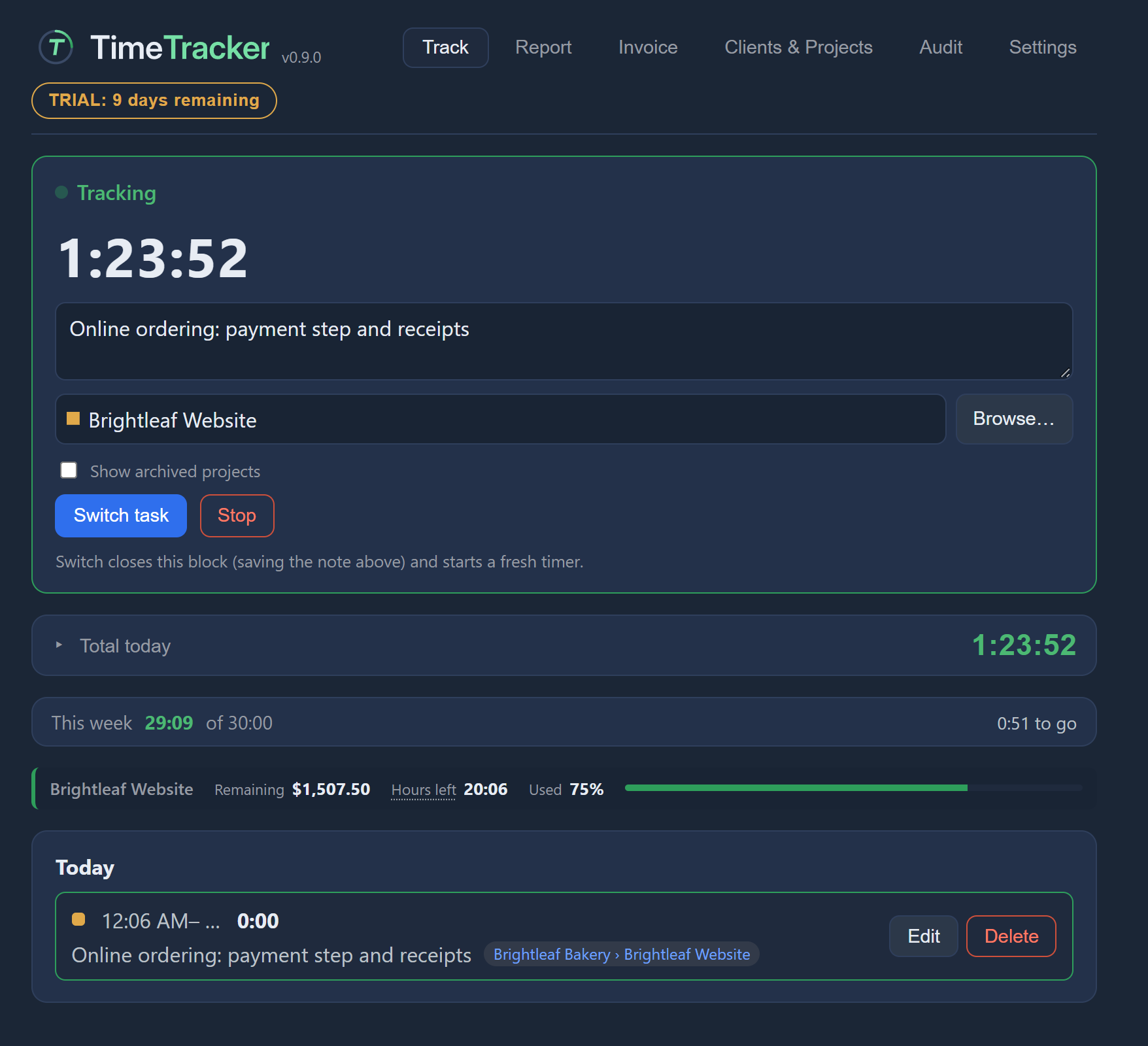
Type what you're working on, pick a project if you like, and press Start task. A live timer runs while you work. To find a project, browse them all grouped by client.
Switch or stop.
Switch task ends the current task and starts the next at the same moment, with no gap and no overlap. Stop ends it.
Bill.
When it's time, pick a date range and make a report or an invoice from the hours you recorded.
You can edit any past entry, and you're warned if two entries overlap. A running timer survives a crash or a power cut. Clients, projects and rates are optional: you can add them when you need them.
Not sure what a button does? Turn on help mode and hover over it for a short explanation, or click it to open its help page on this site.
Reports and invoices
From hours to a report or invoice
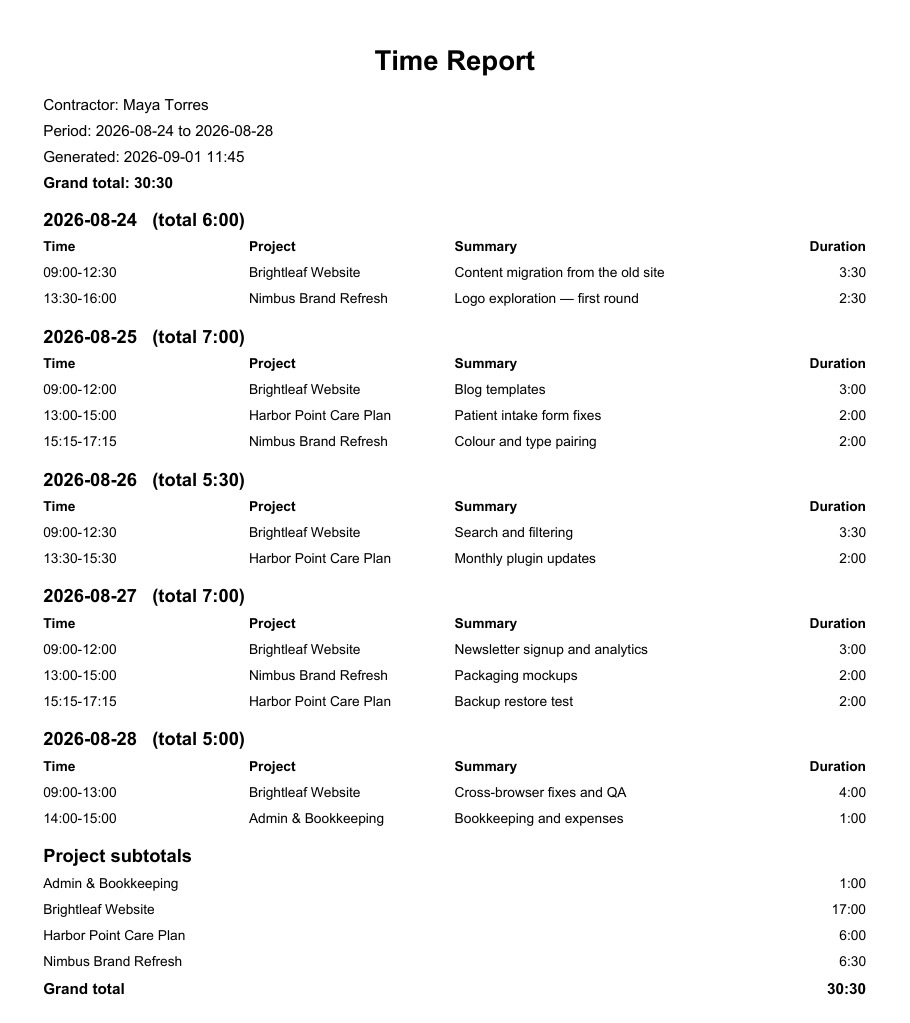
Pick a date range and TimeTracker builds a report grouped by day, with daily totals, a grand total and subtotals per project. Export it as a PDF with your name, the period and the total at the top, ready for your client to approve.
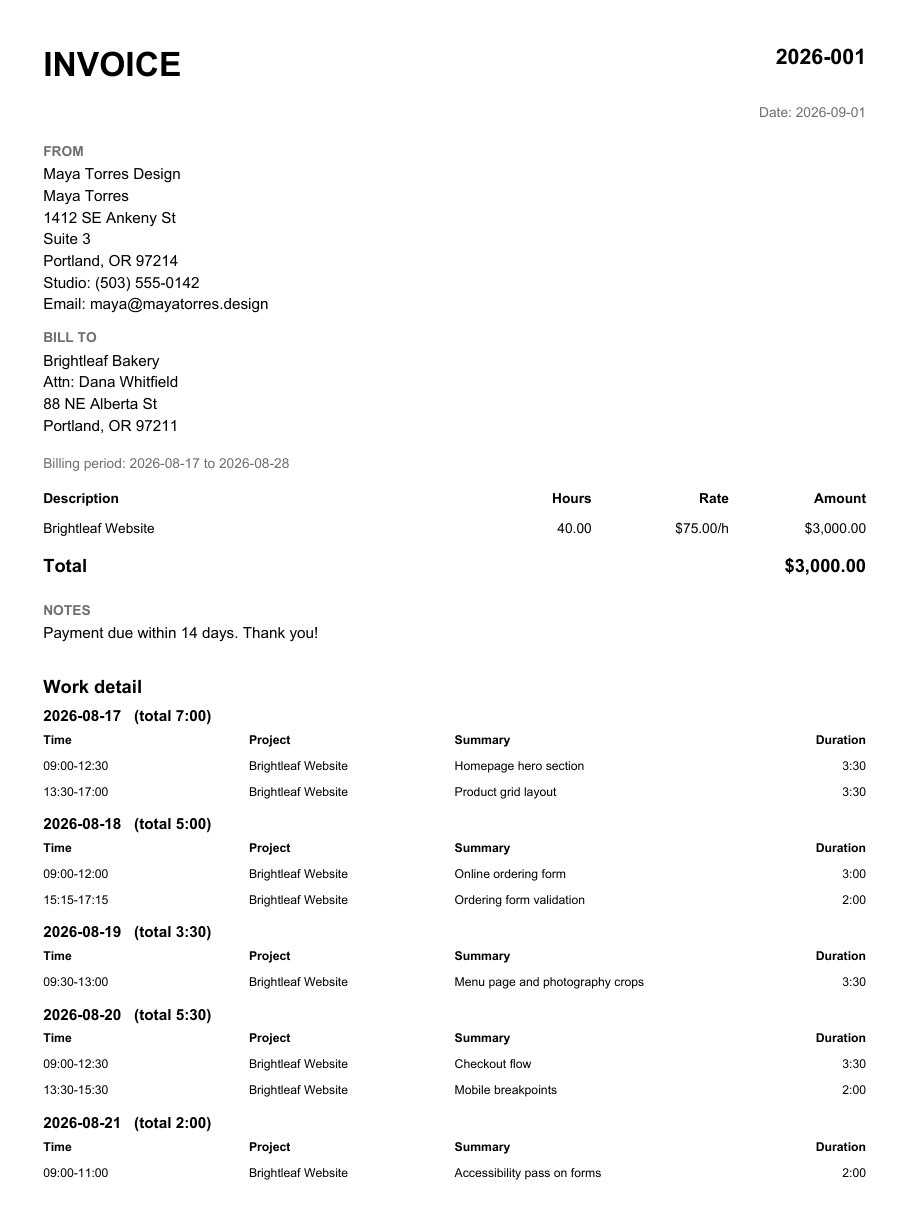
When it's time to bill, turn the same hours into a numbered PDF invoice with a timesheet of the work attached. Put several projects on one invoice, each at its own rate. Preview it first: the preview saves nothing and doesn't use up an invoice number.
Billing records
Every hour billed once
- Hours are marked billed when they go on an invoice, so they can't be billed again.
- You're warned about unbilled work older than the period you're billing.
- Mark time "do not bill" and it still counts as hours worked, but never reaches an invoice.
- Changing an invoiced entry needs a written reason, and the change is kept in a permanent audit trail.
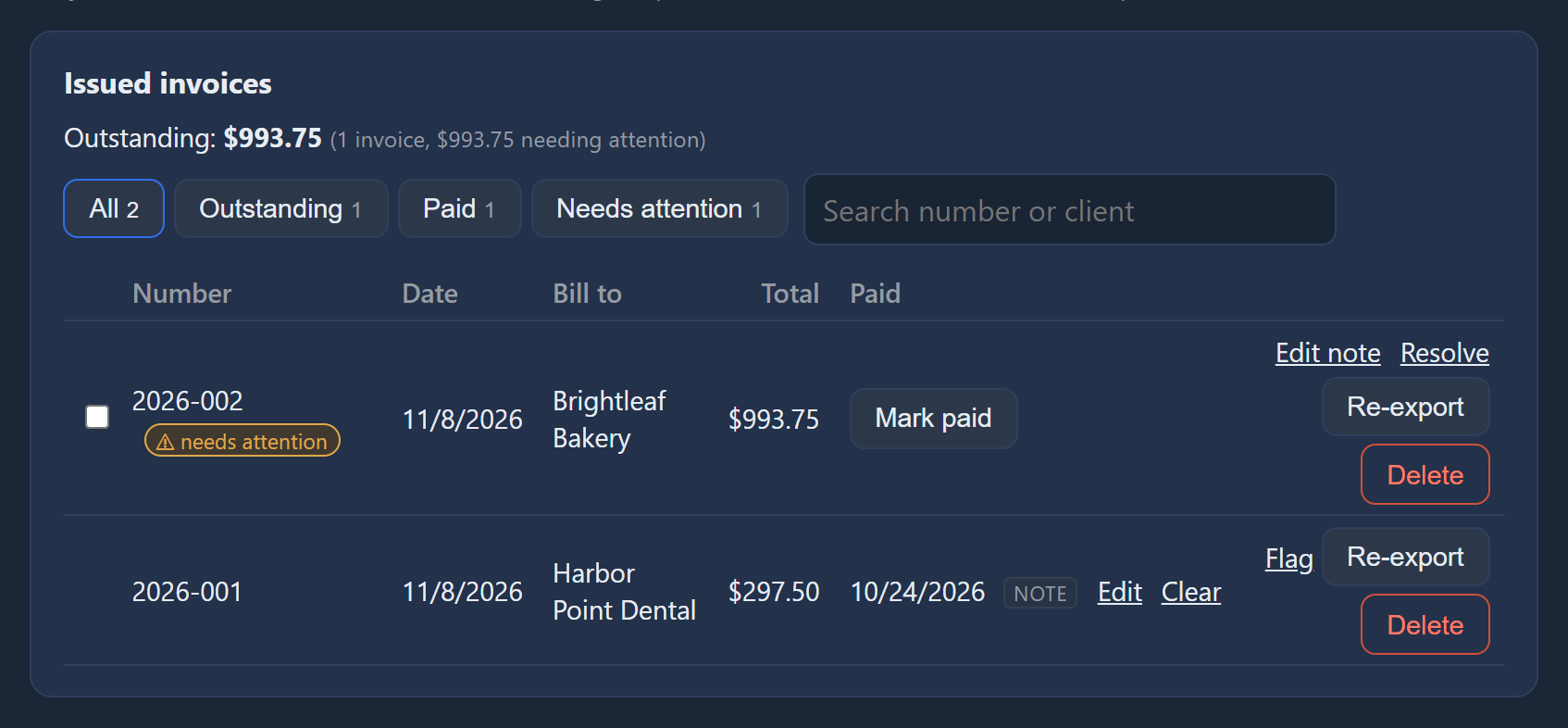
- Mark invoices paid with a date and a note, record one payment for several invoices, and see what's still outstanding.
Fixed-price jobs
Know where a fixed-price job stands
Give a project a budget and TimeTracker shows how much is used and how much is left, in money and in hours. It also gives you two forecasts for when you'll finish: one at the pace you planned, and one at the pace you're actually working. And you can see the time left on the contract, in hours or in working days.

Your data
Your data stays on your computer
TimeTracker has no account and no sign-in. It never uses the internet: there is no cloud, no sync, no telemetry and no analytics. Your clients, rates and hours are kept in one file on your own computer, and Settings shows you exactly where.
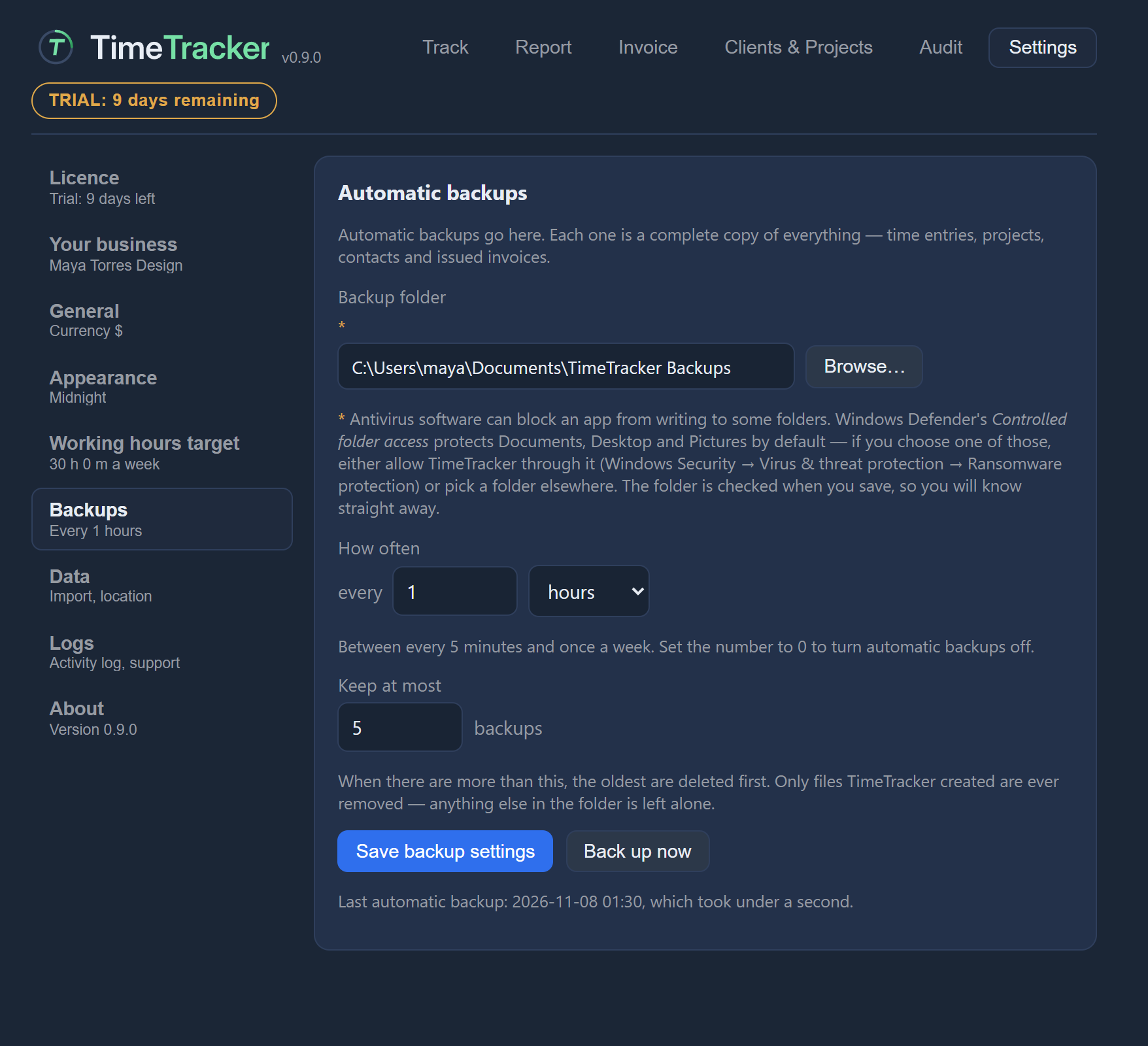
Uninstalling TimeTracker doesn't delete that file. Turn on automatic backups to a folder you choose, on a schedule you choose. To restore, or to move to a new computer, import a backup.
For troubleshooting, TimeTracker keeps a log and crash records on your computer. They never contain the text of your entries, client names or amounts, and they are only sent if you choose to email them to support yourself.
Limits
What it doesn't do
TimeTracker does one job for one person. If you need any of these, it isn't the right tool, and it's better you know now.
- No teams. There are no shared workspaces and no sync between people or devices.
- No phone or web version. It is a desktop app for Windows 11.
- No automatic tracking. You start and stop the timer. It never watches your screen or your apps.
- No bookkeeping. No expenses, tax, bank feeds or card payments. It records that an invoice was paid, but it doesn't take the payment or keep your accounts.
Trial and licence
Try it, then buy it once
The trial is 10 days of use, not 10 calendar days. A day only counts when you open TimeTracker that day. There's no sign-up and no card. The app shows how many days you have left.
When the trial ends, nothing is locked away. You can't start new tasks until you add a licence, but everything you recorded keeps working: your entries, editing, reports, invoices, PDF exports and backups. A running timer can always be stopped.
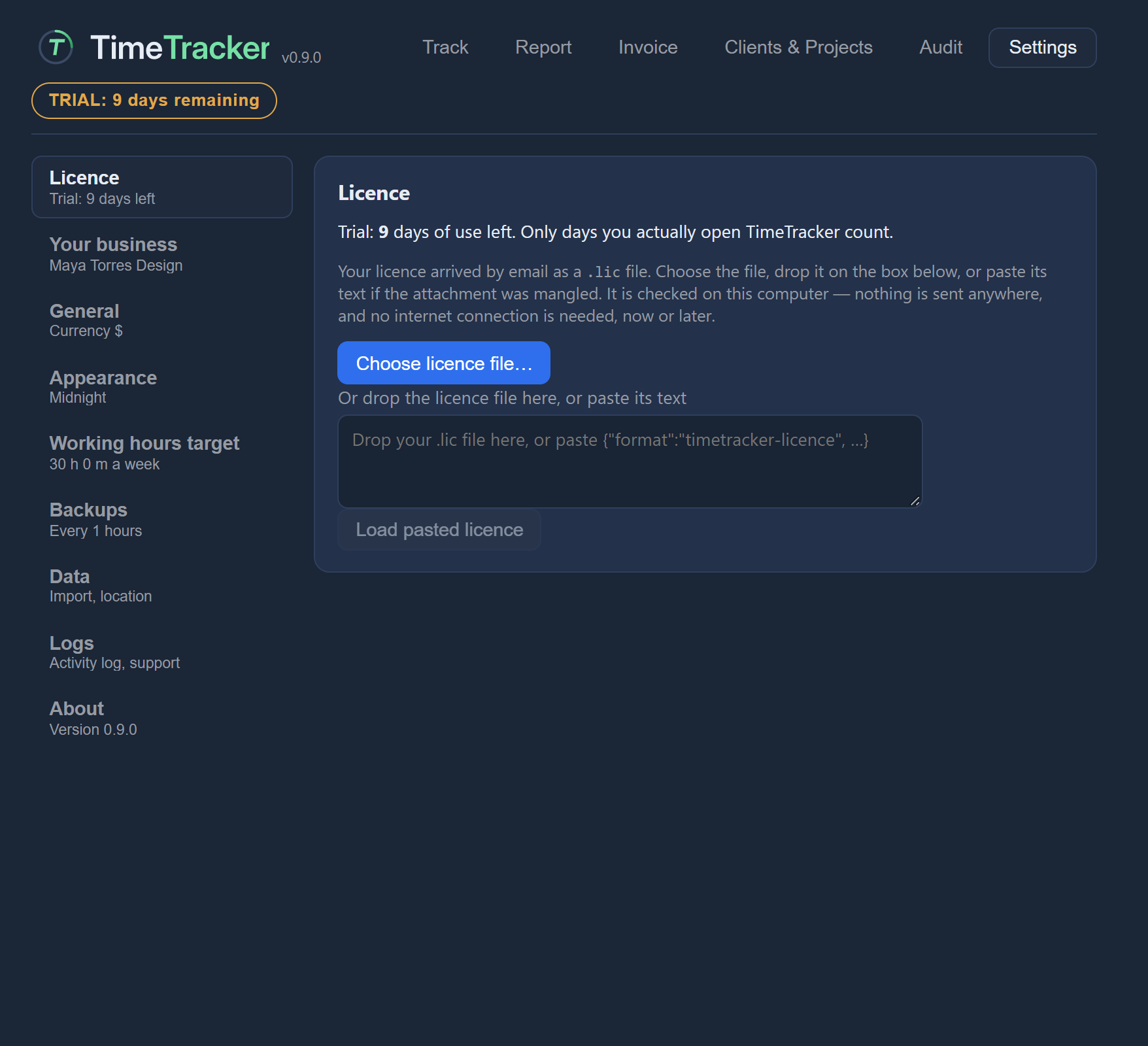
A licence is a one-time purchase of US$29.99. It covers every 1.x release, for good. A future 2.x would be a separate purchase. The licence arrives by email as a small file, and you load it under Settings → Licence. It is checked on your computer, with no account, no activation server and no internet, now or later.
Licences go on sale when version 1.0 is released.
Status
Where things stand
TimeTracker is in beta, at version 0.9.0. The features on this page are built and working in that version. There is no public download yet; it will be available here when version 1.0 is released.
Made for one person billing their own clients
If you bill several clients for your time, from one Windows 11 computer, and you'd rather keep your records to yourself, TimeTracker was made for you. If you work in a team or need it on your phone, it wasn't, and that's fine.
Questions? Ask us